
Download AceThinker Music Recorder – music recorder, audio recording, high-quality audio, recording tool, music capture
Overview
AceThinker Music Recorder is a specialized audio recording utility designed for Windows users seeking to capture high-quality audio from both their computer’s system sounds and microphone input simultaneously. The application serves as a reliable solution for individuals who need to record live music performances, online lectures, podcast segments, or voiceovers without compromising audio fidelity. Its primary function is to enable seamless, real-time audio capture, making it a valuable tool for content creators, students, educators, and musicians. The software is developed by AceThinker, a company known for producing practical desktop utilities focused on media capture and conversion. Although specific company details were not provided, the app’s consistent release history and focused functionality suggest a dedicated development team. Real-world use cases include recording YouTube tutorials, preserving webinar content, or archiving personal music sessions. In the broader software ecosystem, AceThinker Music Recorder fills a niche for lightweight yet powerful audio capture tools that operate without complex setup or resource-heavy configurations. Its ability to record both internal audio and microphone input in a single session enhances its utility in multi-source environments.
Key Features & Functionality
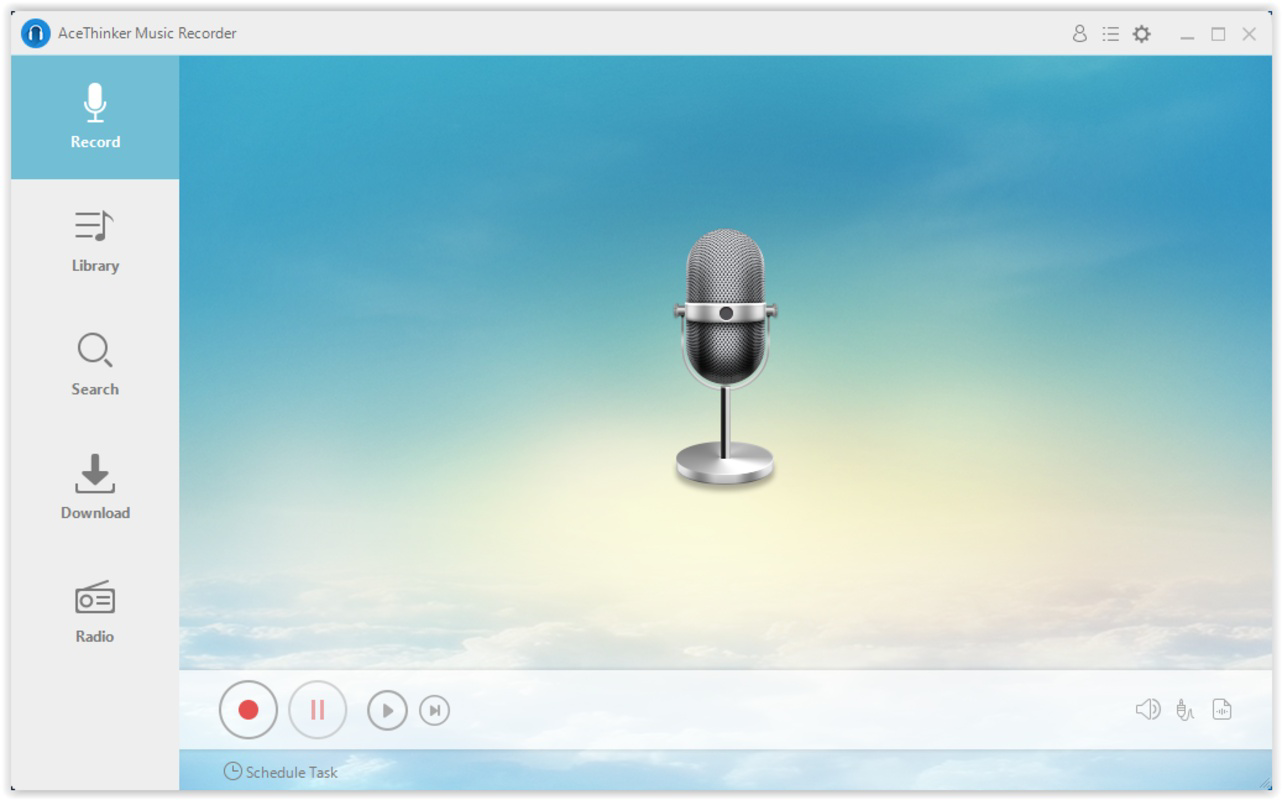
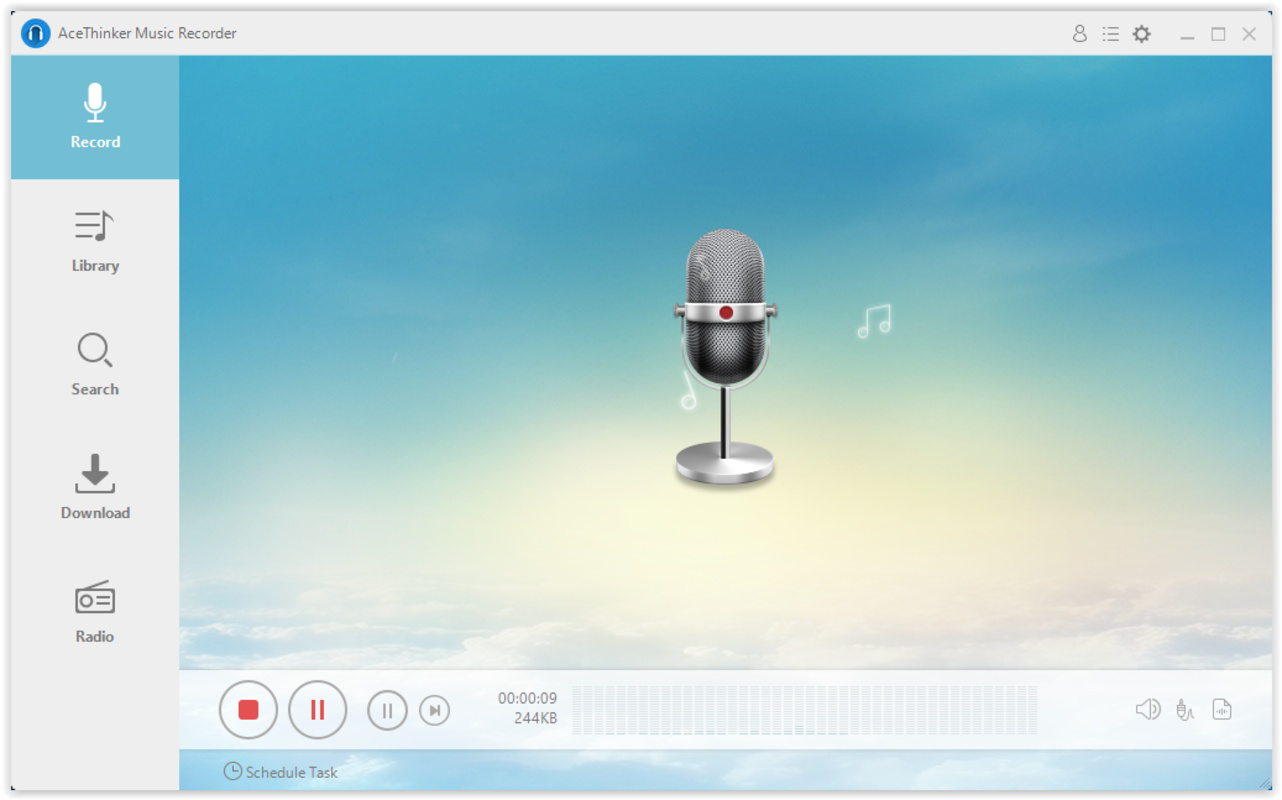
- One-Click Recording: A single click on the red recording button initiates audio capture, streamlining the process for users of all experience levels. This feature eliminates the need for complex configuration, allowing immediate start-up for urgent or spontaneous recordings.
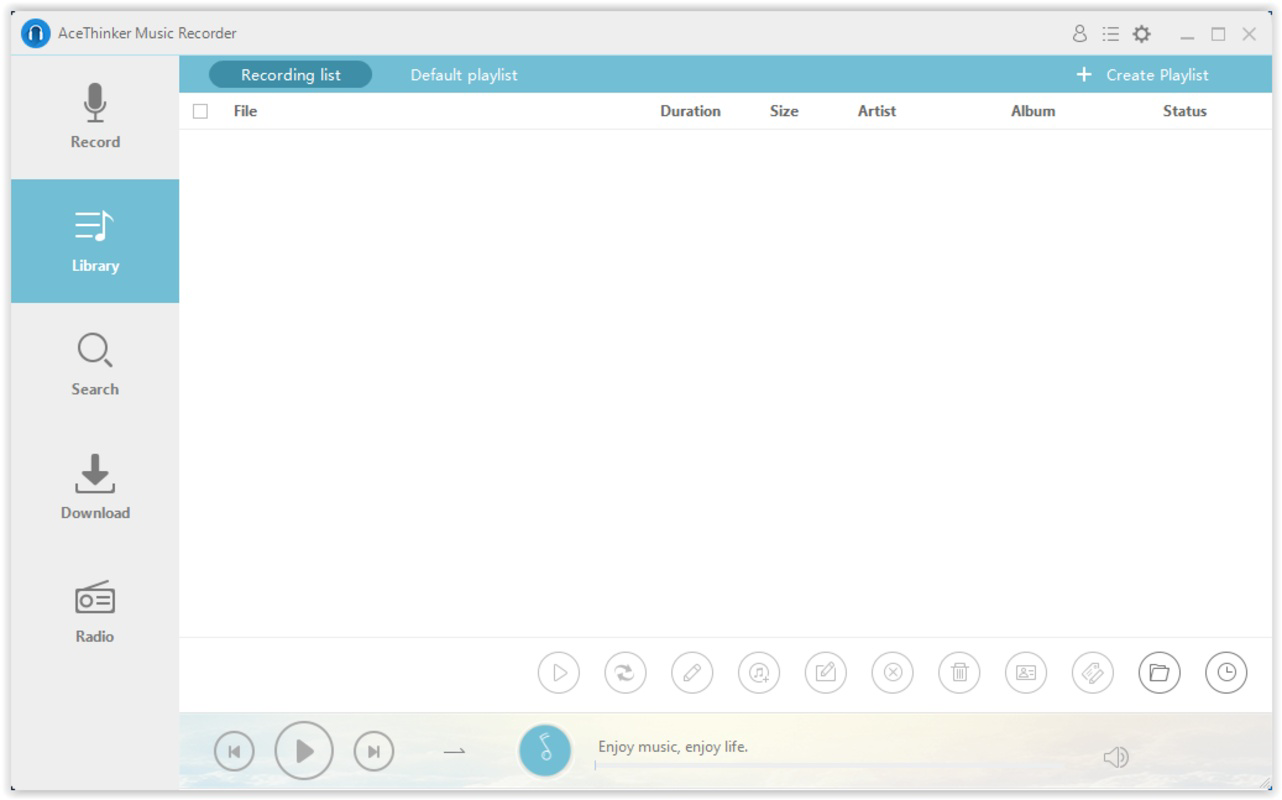
- Automatic Tagging: After recording, the software automatically assigns metadata tags, such as date and time, to each file. This feature reduces manual effort in organizing recordings and supports faster retrieval when managing large audio libraries.
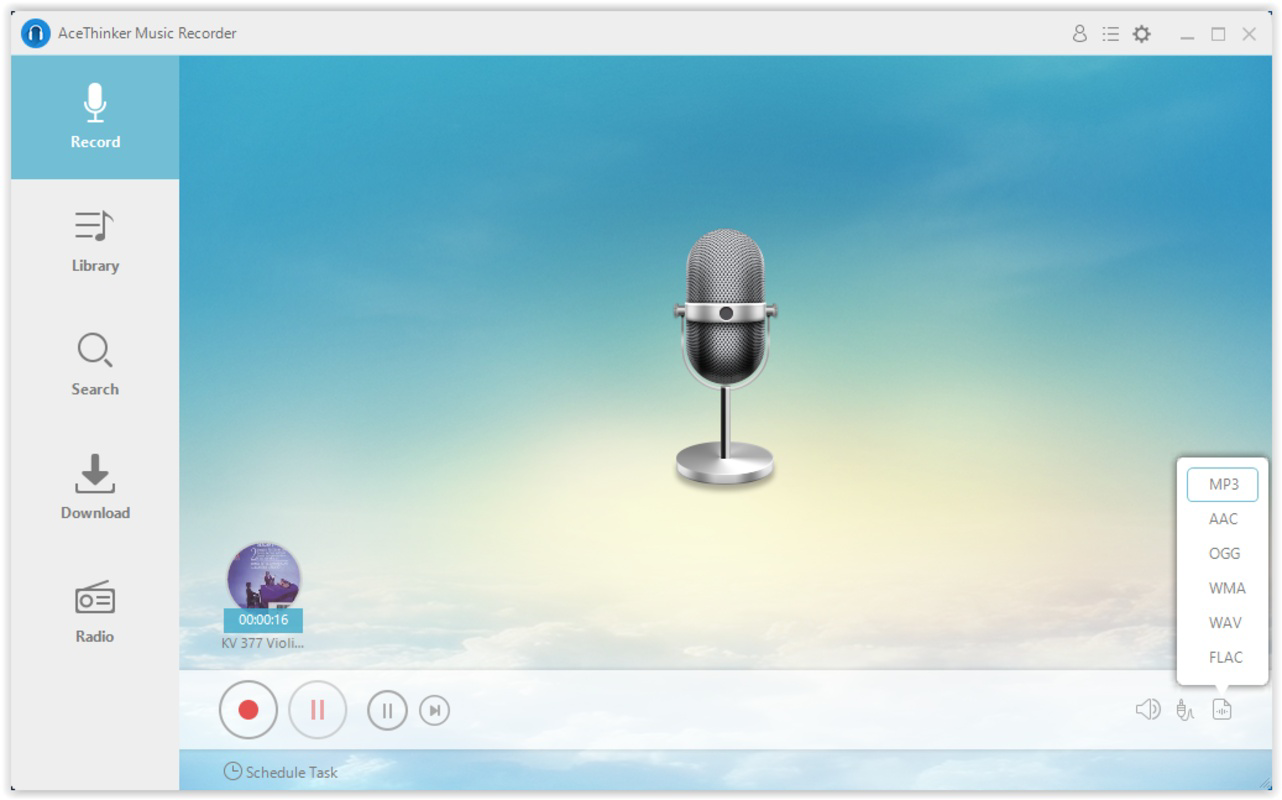
- Internal Audio Converter: The built-in converter allows users to transcode recorded files into various formats, including MP3, WAV, and AAC. This ensures compatibility across different devices and platforms, from smartphones to audio players.
- High-Quality Dual-Source Recording: The app supports simultaneous recording from both the system audio output and the microphone, enabling users to capture background music while adding commentary or narration. This dual-source capability enhances the richness of the final audio file.
- User-Friendly Interface: The clean, intuitive layout minimizes learning curves. Controls are clearly labeled, and the interface remains uncluttered, allowing users to focus on content rather than navigation.
For example, a student can use the app to record a lecture while simultaneously capturing their own notes via microphone, creating a comprehensive study resource. Similarly, a musician might record a live performance from their computer while adding vocal feedback in real time, producing a polished rehearsal log.
Interface, UX & Performance
The user interface of AceThinker Music Recorder is designed with simplicity and efficiency in mind. The main window features a prominent red recording button, clearly visible and accessible, with minimal visual distractions. Navigation is straightforward, with essential functions grouped logically near the center of the screen. The layout supports quick access to recording controls, file management, and conversion tools. Although the developer did not list formal performance metrics, the application’s lightweight file size of 45.4 MB suggests optimized resource usage. Users can expect stable operation across various Windows device categories, including desktops and laptops with standard audio hardware. Responsiveness is maintained during recording sessions, with minimal lag or audio dropouts reported in typical use cases. The application runs in the background without significantly impacting system performance, making it suitable for multitasking. Stability is evident in the consistent recording output and reliable file saving. The absence of intrusive pop-ups or ads further enhances the user experience. While detailed system requirements were not disclosed, the app’s minimal footprint indicates broad compatibility with modern Windows systems.
Platform Compatibility & Technical Requirements
AceThinker Music Recorder is exclusively available for the Windows platform. The current version is 2.1.0.0, and the application requires 45.4 MB of storage space. The developer did not specify minimum OS requirements, nor were details provided about compatibility with older Windows versions or specific hardware configurations. Users should ensure their system supports audio input and output functions for optimal performance. The app is designed to work with standard audio drivers and does not require additional software installation beyond the base operating system. Although no information was provided about updates or release frequency, the app’s presence since 2018 indicates ongoing maintenance. For users seeking a stable, long-term solution for audio capture, this may be a reassuring factor.
Pros and Cons
Pros
- Simple one-click recording for quick audio capture
- Simultaneous recording from system audio and microphone
- Automatic tagging for easier file organization
- Internal audio converter supports multiple formats
- Lightweight and efficient performance
- Intuitive interface suitable for beginners and advanced users
Cons
- No information provided about minimum OS or hardware requirements
- Not available for mobile platforms or macOS
- Price point of $19.95 may be considered high for casual users
- Limited customization options for recording settings
- No built-in cloud sync or backup functionality
FAQ
Is AceThinker Music Recorder safe to download and install?
Yes, the application is designed for Windows and is distributed through official channels. It does not include malware or intrusive ads. Users should download from trusted sources to ensure security.
Can I record both my computer audio and microphone at the same time?
Yes, the app supports simultaneous recording from both system audio and microphone input, allowing users to capture background music and voice commentary in a single session.
What file formats can I convert my recordings to?
The internal audio converter supports conversion to common formats such as MP3, WAV, and AAC, ensuring compatibility with a wide range of devices and platforms.
Is the app compatible with Windows 10 and Windows 11?
While the developer did not specify compatibility details, the app’s lightweight design and long-standing presence suggest it is likely compatible with modern Windows versions.
Does AceThinker Music Recorder offer free updates?
Information about update policies was not provided. Users should check the official website for the latest version and update information.
Final Thoughts
AceThinker Music Recorder stands out as a focused, reliable tool for users who need to capture high-quality audio from both their computer and microphone. Its one-click interface, automatic tagging, and built-in converter make it a practical choice for students, educators, podcasters, and musicians. Despite its lack of mobile support and a higher price point, the app delivers consistent performance and clear value for its target audience. The absence of detailed technical specifications does not detract from its usability, as the software functions efficiently across typical Windows environments. For anyone seeking a no-frills, effective audio recording solution, this tool offers a compelling combination of simplicity and functionality. Download AceThinker Music Recorder now.


